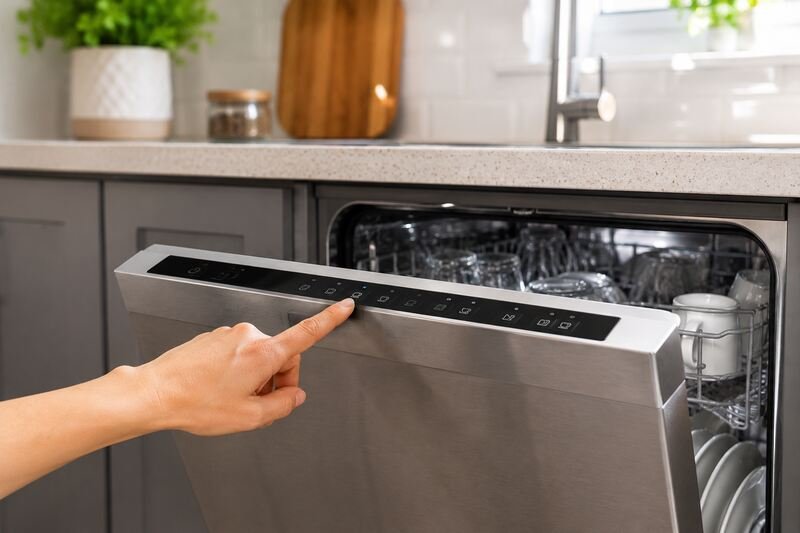
Imagine you’ve loaded your dishwasher with dirty dishes, but it won’t start. You feel frustrated trying to find the problem. Resetting your dishwasher can solve many issues, like start-up problems and electronic glitches. In this guide, we’ll show you how do you reset your dishwasher, cover the most common problems behind it, and explain how to keep your dishwasher working well.
Key Takeaways
- Resetting a dishwasher can fix start-up issues, electronic glitches, and operational problems.
- The standard fix is power cycling: cut power for a minute, then restore it.
- Checking water supply connections, door latches, and control lock or sleep mode settings often resolves problems that look more serious than they are.
- Routine maintenance and cleaning can extend the life of your dishwasher and prevent future issues.
- If simple troubleshooting steps don’t work, it’s best to contact a professional appliance repair service.
Understanding Common Dishwasher Issues
Before you search how do you reset your dishwasher, it helps to know what’s actually going wrong. Dishwashers work hard but often get ignored until they have problems, and control panel trouble or electronic glitches can be tough to diagnose on your own.
Signs Your Dishwasher Needs a Reset
If your dishwasher won’t start or shows blinking lights, it might need a reset. These signs usually point to a problem with the electronics or power supply, rather than something mechanical.
Common Operational Problems
The door might not latch, the water supply could be interrupted, or sleep mode could block the cycle from starting.
Impact of Electronic Malfunctions
A faulty control panel or a timer malfunction can make the dishwasher unresponsive, which stops it from washing dishes correctly.
| Common Dishwasher Issues | Potential Causes | Potential Solutions |
|---|---|---|
| Dishwasher not starting |
|
|
| Control panel issues |
|
|
| Electronic glitches |
|
|
How Do You Reset Your Dishwasher
So, how do you reset your dishwasher? For most problems with the control panel, error codes, or general performance, the fix is “power cycling.” This clears the unit’s electrical charge and forces its electronics to restart cleanly.
Steps for Hardwired Dishwashers
Find your dishwasher’s circuit breaker and switch it off. According to Whirlpool and Maytag’s own reset guides, you should wait at least 1 minute before switching it back on. This gives the control board time to fully discharge and reset.
Steps for Plug-in Models
Plug-in dishwashers are even simpler. Unplug the unit, wait at least 1 minute, then plug it back in. GE recommends closer to 2 minutes for its models, so check your manual if the standard wait doesn’t clear the problem. Some models also use a specific button combination instead; your owner’s manual or the manufacturer’s site will have the exact steps.
A reset typically clears stored error codes too. Codes vary by brand: Whirlpool, Maytag, and KitchenAid dishwashers usually display them in an F#E# format, like F8E5 or F7E1. If the same code returns right after a reset, that points to a real fault, and Whirlpool’s own reset guide is a good place to check your model’s specific codes before calling for service. Keep in mind a reset won’t fix everything; installation problems and serious mechanical failures usually still need a professional.
| Metric | Value |
|---|---|
| Reset Time Frame | At least 1 minute (up to 2 minutes on some GE models) |
| Error Code Clearing | A reset clears codes stored in memory |
| Typical Error Code Format | F#E# on most Whirlpool, Maytag, and KitchenAid models |
| Issues Requiring Professional Assistance | Installation-related problems, recurring error codes |
| Network Reset Relevance | Only applicable to dishwashers with Wi-Fi capability |
Knowing how to reset your dishwasher can resolve a lot of issues on its own, and it’s a good first troubleshooting step before assuming the worst. If the same problem keeps coming back after a reset, that’s your cue to get professional help.
If you’d rather watch the process than read it, this walkthrough covers what to check before and after a reset:
How Do You Reset Your Dishwasher’s Control Panel
If your dishwasher has unresponsive buttons or blinking lights, a reset might help. The exact steps vary by model, but a few general approaches work across most brands.
Start by pressing the “Cancel/Resume” button. This simple step sometimes clears a temporary glitch on its own. If that doesn’t work, move on to a full power cycle.
- Unplug the dishwasher or turn off the circuit breaker.
- Wait at least 1 minute to let the dishwasher’s electronics discharge.
- Plug it back in or turn the power back on.
- Start a new wash cycle to confirm it’s working.
If these steps don’t clear the problem, check your user manual for model-specific instructions. Manufacturers often publish detailed troubleshooting guides for control panel issues, unresponsive buttons, and blinking lights.
If the control panel still doesn’t respond after trying these steps, call a professional. Opening up the control panel yourself can cause more damage and isn’t safe without the right training.
Checking Water Supply Connections
If your dishwasher isn’t getting water, start by checking the supply connections. Look for the metal water line running from under your kitchen sink to the dishwasher. It ends at a knob or valve near the dishwasher’s base, which controls the dishwasher water supply. If you’re setting up a dishwasher for the first time, our step-by-step guide to connecting a dishwasher to the water supply covers the full hookup.
Locating Water Supply Valves
The water supply valve for your dishwasher usually sits near the kitchen sink’s base cabinet. It controls how much water reaches the dishwasher.
Proper Valve Position Verification
- Turn the water supply valve counterclockwise to make sure it’s fully open. This lets water flow freely to the dishwasher.
- Confirm the valve is in the correct, open position. A closed or partially closed valve can prevent the dishwasher from filling properly.
Once you’ve confirmed the valve is open and water is reaching the machine, you can rule this out as the cause. If water still isn’t reaching the dishwasher, further troubleshooting is needed, and mineral buildup is a common next suspect. Our guide to cleaning hard water buildup from a dishwasher covers how scale can restrict water flow over time.
| Common Causes of Dishwasher Water Supply Issues | Potential Solutions |
|---|---|
| Closed water supply valve | Turn valve counterclockwise to open it fully |
| Blocked water inlet valve | Check for debris and clean or replace the inlet valve |
| Malfunctioning float switch | Inspect the float switch and replace if necessary |
| Kinked or blocked water supply line | Straighten or replace the water supply line |
A dishwasher that fills but won’t drain is a different problem with a different fix.
Troubleshooting Control Lock Features
Your dishwasher’s control lock is meant to stop it from being started by accident. But it can also cause confusion when you can’t get the dishwasher to respond. If the buttons are flashing or unresponsive, the control lock is a likely culprit.
To turn off the control lock, press and hold the Lock button for about three seconds to unlock the control panel. Check your user manual for the exact button and timing on your model.
The control lock is useful for keeping curious kids from starting a cycle, but it’s easy to bump on by accident. If your controls stop responding, check the lock status first.
| Dishwasher Issue | Possible Cause | Troubleshooting Tip |
|---|---|---|
| Unresponsive control panel | Control lock engaged | Press and hold Lock button for 3 seconds to deactivate |
| Flashing buttons | Control lock activated | Refer to user manual for model-specific unlock instructions |
| Dishwasher won’t start | Child safety lock is on | Disengage control lock to allow dishwasher operation |
Managing Sleep Mode and Delay Settings
Modern dishwashers often include sleep mode and delay wash. Using them properly helps your dishwasher run efficiently and saves energy.
Deactivating Sleep Mode
Many dishwashers use a sleep mode that reduces power draw when the unit sits idle. To wake it up, open and close the door, or press Start/Resume or Cancel. That’s usually all it takes to get back to choosing a cycle.
Canceling Delayed Start Options
The delay wash feature lets you schedule a cycle for later, which is handy for taking advantage of off-peak energy rates. To cancel a delayed start, press the delay button again while it’s counting down. The cycle then starts right away instead of waiting.
Make sure to press Start/Resume within about 30 seconds of choosing delay wash, or the countdown won’t actually begin as planned.
Managing sleep mode and delay settings helps your dishwasher save energy without sacrificing convenience, and can save you a confusing troubleshooting session later.
Door Latch and Safety Mechanisms
Keeping your dishwasher’s door latch and safety features in good shape matters more than most people realize. A secure door latch prevents leaks, keeps the dishwasher energy-efficient, and lets the appliance run the way it’s designed to.
A door that won’t latch is a common complaint, often caused by a misaligned rack or worn latch parts. Checking it periodically can catch small issues before they turn into leaks; our guide to what causes a dishwasher to leak covers other culprits worth ruling out.
- Misaligned door or latch parts can prevent the door from locking correctly.
- Damage to the latch, striker, or locking assembly can interfere with how the door latch works.
- Cleaning and lightly lubricating the door latch’s moving parts helps keep it working reliably.
Safety features matter too; the child lock protects against accidental use and mishaps.
If your door won’t latch, or you’re concerned about a safety issue, bring in a skilled technician who can pinpoint the problem and confirm the rack and latch are set up correctly.
When to Contact Professional Service
Basic troubleshooting resolves plenty of dishwasher issues, but sometimes you need a professional. If the usual fixes don’t work, it’s time to call a repair service.
Signs of Serious Malfunction
Watch for unusual noises, recurring problems, and water leaks — signs it’s time for a professional to inspect and repair your dishwasher. Ignoring them usually leads to more damage and a bigger repair bill.
Finding Qualified Dishwasher Repair Technicians
- Look for certified technicians who are familiar with your dishwasher’s brand, whether that’s Maytag, Whirlpool, or another major manufacturer.
- Read online reviews to find a trusted repair service near you.
- Ask friends or neighbors for recommendations, or contact the manufacturer directly for authorized service options.
Don’t wait if your dishwasher shows serious problems; a skilled technician early on can save the appliance and keep it running for years.
Preventive Maintenance Tips
Keeping your dishwasher in good shape helps it last longer and work better, and none of these habits take much time.
Clean the Filter Regularly
Cleaning the dishwasher filter is one of the simplest habits that makes a real difference. Doing it after each use, or at least weekly, stops food and debris from clogging it. Our guide to changing a dishwasher filter covers when a clean isn’t enough and a replacement makes more sense.
Wipe Down the Interior
Wipe the inside of your dishwasher regularly, including the walls, racks, and spray arms. This removes food residue and buildup, and helps prevent mold and mildew.
Maintain the Door Seal
The door seal keeps water inside the dishwasher during a cycle. It can wear out or crack over time, which leads to leaks. Check it periodically and wipe it clean with a soft cloth to keep the seal tight.
Use Dishwasher Cleaner
Running a dishwasher cleaner or descaler once a month removes mineral residue and buildup, which keeps the whole machine working efficiently.
| Maintenance Task | Frequency |
|---|---|
| Clean the filter | Weekly, or after every wash cycle for heavy use |
| Wipe down the interior | Monthly |
| Inspect and clean the door seal | Every few months |
| Use dishwasher cleaner | Monthly |
Conclusion
So, how do you reset your dishwasher when something goes wrong? In most cases, all it takes is a power cycle: cut power for at least a minute, then restore it and try again. That single step fixes a surprising number of error codes and power-related glitches.
Beyond that, keeping your dishwasher in good shape goes a long way. Run it correctly, clean the filter and drain area regularly, and load dishes the way your manual recommends. If problems keep coming back after a reset, that’s the signal to bring in a professional.
By troubleshooting the simple issues yourself, staying on top of maintenance, and knowing when to call for help, your dishwasher will keep working well for years. Always check your owner’s manual for model-specific guidance, and don’t let basic upkeep slide.

Hey, My name is MAMON. I am a SEO content creator and affiliate marketer with over 8 years of experience. I create honest product reviews, in-depth buying guides, and practical how-to articles to help readers make informed decisions. My mission is to provide trustworthy, research-backed content that delivers real value.
Leave a Reply