A USB mug warmer sounds like the perfect desk gadget: plug it into your laptop, set your mug on top, and enjoy warm coffee all morning. But does a USB mug warmer really keep coffee hot? The answer depends on how much power your USB port can deliver. A standard computer USB port supplies only a few watts, while most plug-in mug warmers use 17 to 50 watts. In this guide, we explain USB power limits in plain numbers, compare USB warmers with wall-powered models and heated mugs, and show you how to get the best results if you go the USB route.
Key Takeaways
- First, under the USB specifications, a standard USB 2.0 port supplies 500 mA at 5 volts, or 2.5 watts, and a USB 3.x port supplies 900 mA, or 4.5 watts.
- By contrast, typical wall-powered mug warmers use about 17 to 50 watts, and smart plates reach 75 watts.
- USB Power Delivery can supply up to 100 watts, and up to 240 watts with the newer Extended Power Range, but only when both the charger and the device support it.
- As a result, a USB mug warmer running from a laptop port is best for slowing cooling on already-hot coffee, not for reheating.
- Finally, even basic plug-in warmers often struggle. In CNN Underscored’s test, several kept coffee at or below about 120°F to 130°F.
What Is a USB Mug Warmer?
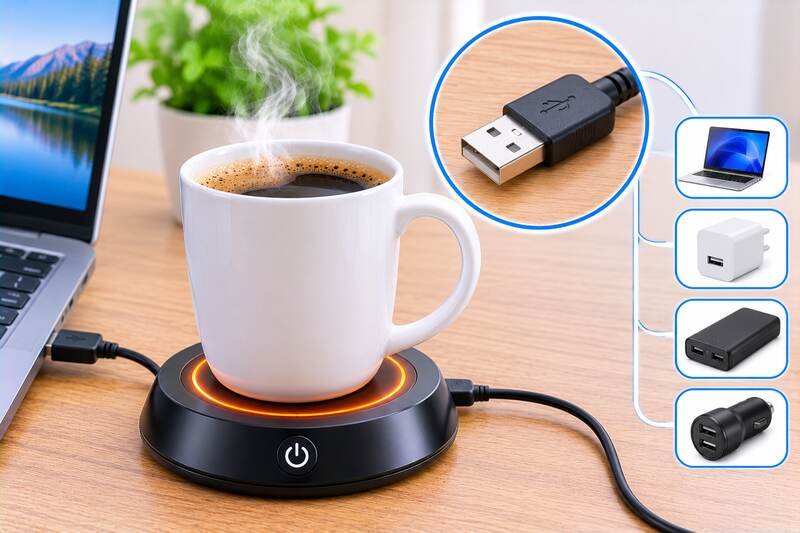
A USB mug warmer is a small heating pad that draws power from a USB port instead of a wall outlet. Typically, it looks like a coaster with a heating plate on top and a USB cable on the side. Some plug into a laptop or desktop computer, while others come with a USB wall adapter. In addition, a few self-heating mugs and warmer sets now charge or run through USB-C.
The appeal is obvious. Because it runs off your computer, there is no extra power brick on your desk. Moreover, it is portable, so you can use it at home, at work, or even in a hotel room. However, that convenience comes with a trade-off: USB ports deliver far less power than a wall outlet.
How Much Power Can a USB Port Deliver?
This is the key question for any USB mug warmer. Here is how common USB power levels compare.
| USB Power Source | Typical Maximum | Enough for a Strong Warmer? |
|---|---|---|
| USB 2.0 port | 2.5 W (5 V, 500 mA) | No |
| USB 3.x port | 4.5 W (5 V, 900 mA) | No |
| 5 V, 2 A wall adapter | 10 W | Limited |
| USB Power Delivery | Up to 100 W | Yes, if the warmer supports PD |
| USB PD Extended Power Range | Up to 240 W | Yes, with compatible gear |
The USB 2.0 and 3.x figures come from the standard USB port specifications. Meanwhile, according to Tom’s Hardware, USB Power Delivery reaches up to 100 watts by negotiating up to 5 amps at 20 volts, and the newer PD 3.1 Extended Power Range raises that to 240 watts with a compatible cable.
In practice, however, most simple USB warmers do not use Power Delivery. Instead, they draw basic 5-volt power. So, when plugged into a computer, they are limited to a few watts.
USB vs. Wall-Powered Warmers
Now compare those numbers with wall-powered warmers. Based on their Amazon listings, popular models use about 17 watts for basic plates like the Mr. Coffee and Home-X, 36 watts for the SWEETFULL DS1295, 50 watts for the BEARWIND, and 75 watts for the iKago smart plate.
Even with that much power, plate warmers often run cool. For example, in CNN Underscored’s test, the 17-watt Mr. Coffee warmer never got coffee above 130°F, and a Misby plate stayed under 120°F. By contrast, the 75-watt iKago reached 130°F in under 20 minutes. Therefore, a USB warmer limited to 2.5 to 4.5 watts from a laptop port has a much harder job.
Does a USB Mug Warmer Really Keep Coffee Hot?
Honestly, a laptop-powered USB mug warmer is best described as a cooling slower, not a heater. It can take the edge off heat loss, especially with a lid, but it cannot replace much of the heat that escapes from an open mug. As a result, if you place a lukewarm cup on it, the coffee is unlikely to get hot again.
That said, there are situations where it helps. For instance, if you pour fresh coffee into a thin, flat-bottomed mug, add a lid, and sip within an hour or so, a USB warmer can keep it more pleasant than a mug sitting on a cold desk. Similarly, it works better for tea, which many people sip slightly cooler.
Video: ReviewedByPhil compares a USB cup warmer plate with a USB heated mug.
The Physics in Plain Terms
Coffee in an open mug loses heat through steam, the mug walls, and the air. Meanwhile, a warmer adds heat through the base. The drink settles where heat in equals heat out. Because a USB port adds only a few watts, that balance point is much lower than with a 36-watt or 50-watt plate.
You can shift the balance in your favor, though. First, a lid cuts heat loss from the surface. Second, a thin, flat base improves heat transfer from the plate. Third, a preheated mug avoids losing heat into cold ceramic. In other words, the less heat your mug loses, the more a low-power USB warmer can help.
USB Mug Warmer vs. USB-Charged Heated Mug
Some heated mugs also use USB, but in a different way. Instead of heating through a plate, they charge an internal battery and heat the drink directly. For example, the THERMACUP Premium lists USB-C charging and claims up to 8 hours of battery life. Similarly, the Brookstone travel mug and the APEXX set pair a heated cup with a charging base that also charges phones.
Because the heater sits inside an insulated mug and measures the drink directly, these mugs are far more effective than a low-power USB plate. For instance, in Bob Vila’s test, a Thermacup heated room-temperature liquid to 140°F in about 40 minutes and lasted about 3 hours with its lid off the charger. On the other hand, they cost more and only work with their own mug.
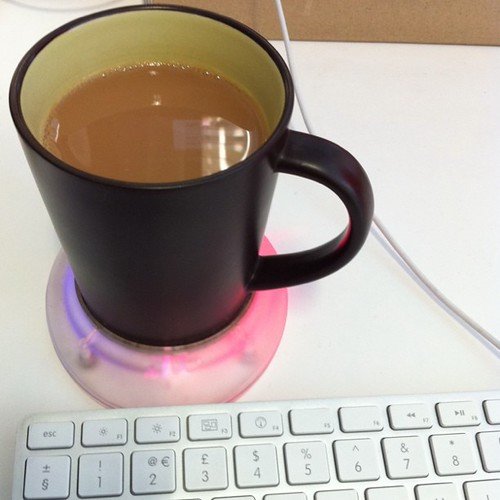
Photo: adactio via Flickr (CC BY 2.0).
How Much Electricity Does a USB Mug Warmer Use?
Very little. For example, a warmer drawing 4.5 watts for 8 hours uses about 0.036 kWh. At the EIA’s projected 2026 average residential price of 18.2 cents per kWh, that is well under 1 cent a day. Even a 10-watt USB warmer uses only about 0.08 kWh in 8 hours, or roughly 1.5 cents. These are our estimates.
However, there is one hidden cost. On a laptop running on battery, a USB warmer drains your laptop battery. So, if you use one on the go, expect shorter laptop battery life. For more on appliance power, see our guide on how many watts a coffee maker uses.
Types of USB-Powered Warmers
Basic USB-A Plates
These are the simplest designs, often sold as coasters with a USB-A plug. Typically, they have one heat level and a small light. Because they rely on basic 5-volt power, they deliver the least heat of any type, especially from a computer port.
USB-C Warmers
Some newer pads use USB-C. If a pad supports Power Delivery and you pair it with a PD charger, it can draw more power than an older USB-A model. However, many USB-C warmers still use basic 5-volt power, so check the listing for a wattage figure rather than assuming more heat.
Rechargeable Cordless Pads
Another option is a battery-powered pad that recharges over USB. For example, the JOWHOL cordless warmer lists a 10,000 mAh battery and a run time of up to 180 minutes. At a typical 3.7 volts, that battery stores roughly 37 watt-hours, which suggests a heat output of around 12 watts over three hours, based on our estimate. In addition, it doubles as a power bank.
Charging Bases for Heated Mugs
Finally, some heated mugs come with bases that plug in through USB or a USB adapter. For instance, the OHOM Ui 3 set uses a pad that heats its ceramic mug by induction and also charges phones wirelessly. Similarly, the APEXX set lists 15-watt wireless phone charging. These bases work only with their own mugs, but they heat more effectively than plain USB plates.
Traveling With a USB Warmer
Portability is one of the main reasons people buy these warmers. For hotel rooms, a USB wall adapter gives you more power than a laptop port. Meanwhile, if your warmer has a built-in battery, keep it in your carry-on bag; the FAA says spare lithium batteries and power banks belong in carry-on luggage, not checked bags. Also, pack a lid, since it makes the biggest difference with low-power heat.
What to Look for When Buying
- Listed wattage: First, prefer models that state their wattage clearly.
- Power source: Next, check whether it needs a specific adapter for full power.
- Auto shut-off: Also, a timer or shut-off protects you if you forget it.
- Plate size: In addition, the plate should match your mug base.
Pros and Cons of USB Mug Warmers
Pros:
- Above all, no extra wall outlet needed
- Also, very portable and lightweight
- In addition, extremely low electricity use
- Plus, often inexpensive
Cons:
- However, very limited heat from a computer port
- Also, cannot reheat cold coffee
- In addition, drains laptop battery when unplugged
- Finally, often lacks safety listings and auto shut-off
How to Get the Best Results
- Use a wall adapter if possible. First, a 5-volt, 2-amp USB wall adapter can supply up to 10 watts, more than a laptop port.
- Start with hot coffee. Next, place the mug on the warmer right after brewing.
- Add a lid. Also, a lid is the single biggest boost for a low-power warmer.
- Choose a thin, flat-bottomed mug. In addition, avoid double-wall and footed mugs.
- Preheat the mug. Finally, rinse it with hot water first. An electric kettle makes this fast; see the best electric kettle.
Who Should Buy a USB Mug Warmer?
A USB mug warmer makes sense if you want a cheap, portable way to slow cooling, you finish coffee within an hour or so, or you have no spare outlet at your desk. It is also handy for travel. However, if you sip slowly for hours or want truly hot coffee, a wall-powered warmer in the 36- to 50-watt range, or a self-heating mug, is a much better choice.
To start with hotter coffee in the first place, see our guide on what coffee maker makes the hottest coffee. And if you prefer to reheat a cold cup, check how much electricity a microwave uses.
Safety Tips
USB warmers run at low power, so the fire risk is low. Still, follow a few basics. First, unplug it when you leave your desk, since many USB models lack auto shut-off. Second, keep liquids away from your laptop’s ports in case of spills. Third, buy from reputable brands, and look for a safety listing when possible. Finally, never use a damaged cable.
Frequently Asked Questions
Do USB mug warmers work?
They work for slowing cooling on hot coffee, especially with a lid. However, from a standard laptop port, they have only 2.5 to 4.5 watts, so they cannot reheat cold coffee.
Can I plug a USB mug warmer into a wall adapter?
Usually, yes. A 5-volt, 2-amp adapter supplies up to 10 watts, which helps. Still, check the warmer’s instructions first.
Will a USB mug warmer drain my laptop battery?
Yes, if your laptop is not plugged in. For that reason, use it while your laptop is charging when you can.
Is a USB mug warmer better than a regular mug warmer?
It is more portable, but less powerful. For hotter coffee, a wall-powered warmer in the 36- to 50-watt range performs better.
Are USB heated mugs better than USB plates?
Generally, yes. Battery-powered heated mugs heat the drink directly and are insulated, so they hold temperature far better than low-power plates.
Can I use a phone charger to power one?
Often, yes, if the charger has a USB port that matches the cable. However, the heat you get depends on the charger’s output and whether the warmer can use it. For example, a basic 5-volt, 1-amp phone charger supplies only about 5 watts, while a 2-amp charger supplies about 10 watts.
Are these warmers safe for tea and cocoa?
Yes. In fact, because many people drink tea a little cooler than coffee, low-power heat can suit it well. Just stir milk drinks occasionally to prevent a skin from forming.
Final Thoughts
A USB mug warmer is convenient, portable, and cheap to run, but its heating power is limited by your USB port. From a laptop, you typically get 2.5 to 4.5 watts, compared with 17 to 50 watts from a wall-powered warmer. So, think of it as a way to slow cooling on fresh coffee, not a way to reheat a cold cup. For the best results, use a wall adapter, a lid, and a thin flat-bottomed mug. And if you want truly hot coffee for hours, step up to a higher-wattage warmer or a self-heating mug.

Hey, My name is MAMON. I am a SEO content creator and affiliate marketer with over 8 years of experience. I create honest product reviews, in-depth buying guides, and practical how-to articles to help readers make informed decisions. My mission is to provide trustworthy, research-backed content that delivers real value.
Leave a Reply